AI
OhMyDebn includes several different options for your AI needs: OpenCode, Claude Code, ChatGPT, Codex, Grok Build, Pi, Oh My Pi, T3 Code, Visual Studio Code with GitHub Copilot AI, and Antigravity with Google Agentic AI.
Default AI Assistant
Hotkey Super + A always launches your default AI assistant, so whichever one you use most is just a keypress away. Until you pick one yourself, the default is OpenCode.
When you install one of these AI tools from the OhMyDebn menu, you'll be asked whether to make it your default. The default answer is no, so your current default stays unless you type y.
To change your default AI assistant at any time, go to OhMyDebn Menu > Setup > Defaults > Agent. It lists the AI tools you have installed, marks your current default, and makes whichever one you pick the new default.
If you're in a terminal, the a alias runs your default assistant directly in that terminal (or opens it on the current directory for GUI options like ChatGPT, VS Code, and Antigravity).
OpenCode
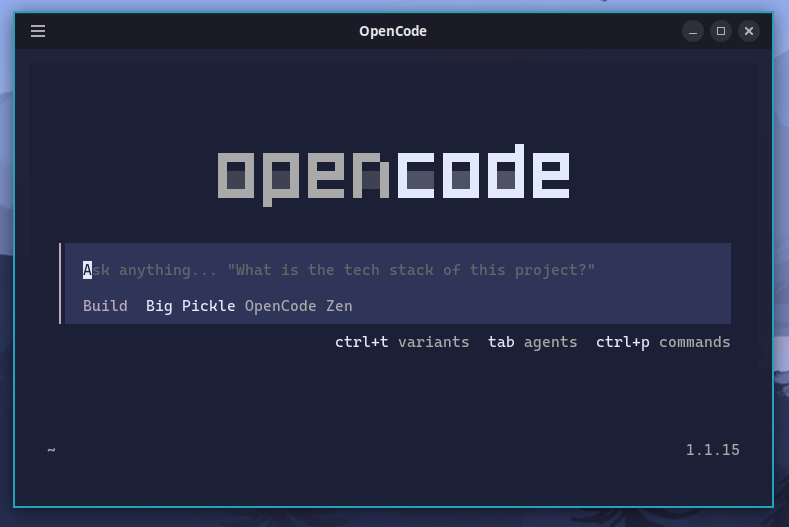
OpenCode is available as an optional installation. You can install via the OhMyDebn menu (Apps > AI). OpenCode runs in a terminal and automatically adapts to our desktop themes. From an existing terminal session, the c alias runs OpenCode directly.
Claude Code
Claude Code is available as an optional installation. You can install via the OhMyDebn menu (Apps > AI). You can run in an existing terminal session with the claude command. Alternatively, you can use hotkey Ctrl + Alt + C to start a terminal and run Claude. That hotkey checks to see if it's installed first, so even on a new installation you can just press Ctrl + Alt + C and it will install and then run. Claude Code automatically adapts to our desktop themes.
Claude Code installs on its stable release channel, which is about a week behind the newest release and skips releases with serious bugs. To get every release as soon as it ships, switch to the latest channel in OhMyDebn Menu > Update > Channel > Claude Code. See Channels.
ChatGPT
ChatGPT is OpenAI's desktop app and is available as an optional installation. You can install via the OhMyDebn menu (Apps > AI), where it's listed as "ChatGPT (OpenAI GUI)" to distinguish it from Codex below. You can then run via menu.
Codex
Codex is OpenAI's terminal-based coding agent and is available as an optional installation. You can install via the OhMyDebn menu (Apps > AI), where it's listed as "Codex (OpenAI CLI)". From an existing terminal session, the codex alias runs it directly.
Grok Build
Grok Build is xAI's terminal-based coding agent and is available as an optional installation. You can install via the OhMyDebn menu (Apps > AI), where it's listed as "Grok Build (xAI CLI)". From an existing terminal session, the grok alias runs it directly. Grok Build automatically adapts to our desktop themes.
Grok Build needs either a SuperGrok or X Premium+ subscription, which you sign in with by running grok login, or an xAI API key from console.x.ai, which you set as the XAI_API_KEY environment variable.
Pi
Pi is a terminal-based coding agent from earendil-works and is available as an optional installation. You can install via the OhMyDebn menu (Apps > AI). From an existing terminal session, the pi alias runs it directly.
Oh My Pi
Oh My Pi is Stencil Labs' extended version of Pi: a terminal-based coding agent with built-in code navigation and debugging, and support for many AI providers, including signing in with a subscription you already have. It's available as an optional installation. You can install via the OhMyDebn menu (Apps > AI), where it's listed as "Oh My Pi (Stencil Labs)". From an existing terminal session, the omp alias runs it directly. Oh My Pi automatically adapts to our desktop themes.
T3 Code
T3 Code is a desktop app that runs your AI coding agents side by side in one window. It isn't an AI assistant itself: it works with the agents you already have installed, such as OpenCode, Claude Code, Codex, and Grok Build, so install at least one of those first. T3 Code is available as an optional installation. You can install via the OhMyDebn menu (Apps > AI), where it's listed as "T3 Code (agent GUI)". You can then run via menu.
T3 Code automatically adapts to our desktop themes. If you pick a different theme in T3 Code's own Settings > Appearance, it keeps that choice instead. To follow your OhMyDebn theme again, select the OhMyDebn theme there.
If T3 Code shows one of your installed agents as turned off, turn it on in T3 Code's Settings > Providers.
Visual Studio Code with GitHub Copilot AI
Visual Studio Code with GitHub Copilot is available as an optional installation. You can install via the OhMyDebn menu (Apps > AI or Apps > Editors). You can run via menu or hotkey Ctrl + Super + S. That hotkey checks to see if it's installed first, so even on a new installation you can just press Ctrl + Super + S and it will install and then run.
Antigravity with Google Agentic AI
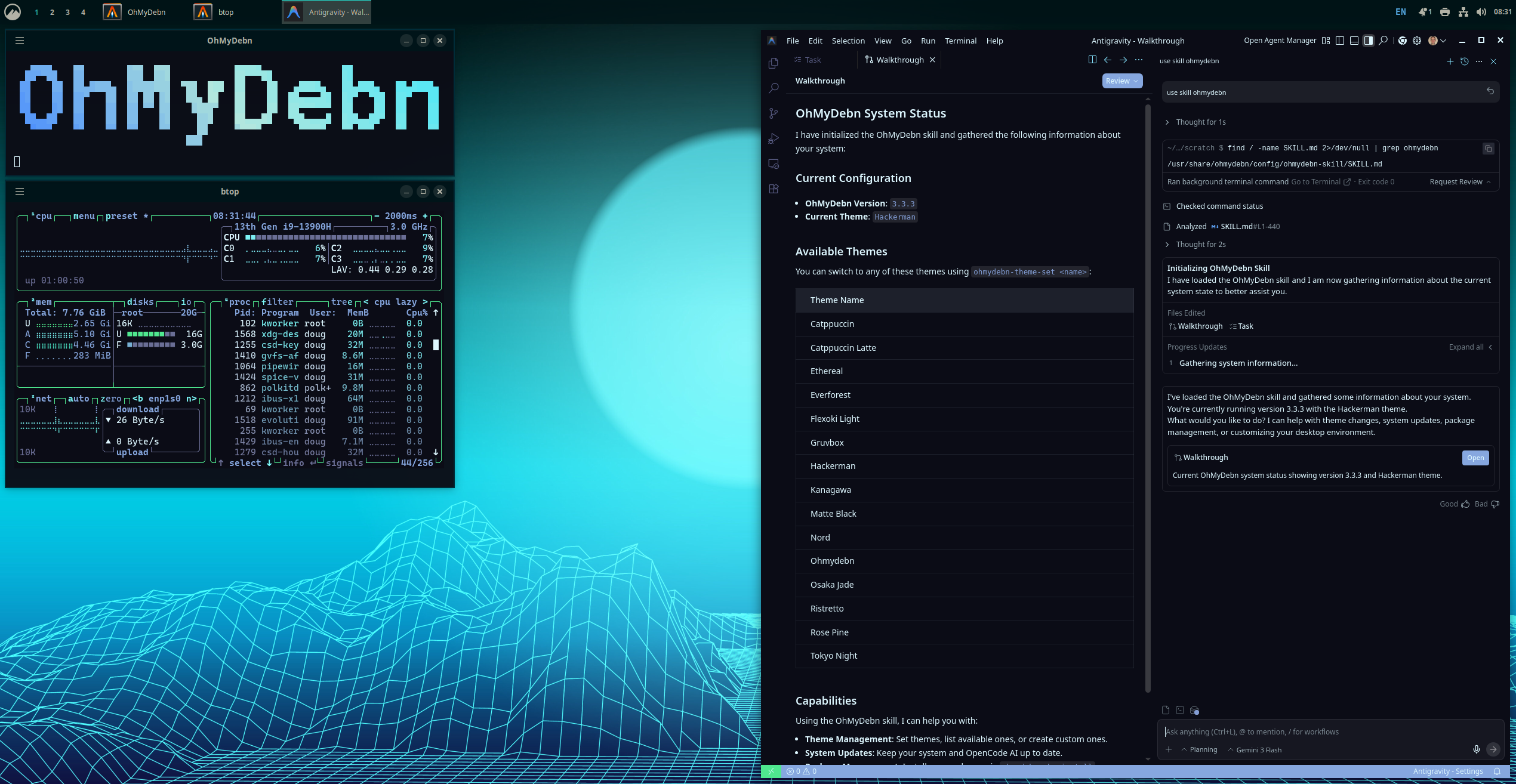
Antigravity is a fork of Visual Studio Code for Google Agentic AI and is available as an optional installation. You can install via the OhMyDebn menu (Apps > AI or Apps > Editors). You can run via menu or hotkey Ctrl + Super + G. That hotkey checks to see if it's installed first, so even on a new installation you can just press Ctrl + Super + G and it will install and then run.
OhMyDebn skill
OhMyDebn includes an OhMyDebn skill that most of these AI tools, including Claude Code, OpenCode, Codex, Pi, and Antigravity, can use to understand more about the underlying platform: